
Get your time back
Students scan while you start class — instead of calling 40 or 50 names first.
 Works with Google ChromeZero student data upload
Taking attendance should not take the first 10 minutes of class. Students scan their school ID. The extension marks Present or Tardy on your Focus School Software page. You review. You press Save.
Attendance is done.
Built by a South Florida high school teacher who was tired of spending 10 to 15 minutes taking attendance.
Chrome extension, Google Chrome onlyNo student data uploaded, captured, or storedTeacher license, I teach high school classes that can have close to 50 students. At the beginning of class, everybody is walking in and talking — and I am trying to call attendance.
I did not need another attendance system. My school already has one. I just needed a faster way to use it.
High school attendance sounds simple until you are standing in front of a large class trying to actually do it. This takes the repetitive part and makes it easier.
Students scan while you start class — instead of calling 40 or 50 names first.
No yelling “here.” No guessing who answered. The barcode finds the person on your roster.
Enter your school’s bell schedule once. Late scans mark Tardy and note the real scan time in the comments.
Walk in. Scan. Sit down. Attendance becomes part of entering the room.
Same class. Same Focus page. Different start.
Done.
Until you lose it every period.
If ID Attendance Scanner saves just 5 minutes each school day, that adds up to about 15 hours over a 180 day school year. Closer to 10 minutes a day? Around 30 hours.
That is a lot of class time spent calling names. For $20$15 a year, I would rather have the time back.
It does not replace the attendance system your school already uses. That is the point. Your normal Focus roster — just much faster.
Same Focus roster. Same Save button. No second attendance system.
Names, IDs, and marks stay on your computer. We never receive them.
Review the roster. You press Save in Focus. It never submits for you.
Enter class times once. Late scans become Tardy with a comment of the real scan time.
A student scans. The extension finds them. Their attendance is marked. You keep doing what you were doing. When you are ready, review and press Save.
LIVE classroom demo
1 / 8Late scan? The panel shows Tardy with the real scan time. The roster updates on Focus — review and press Save.
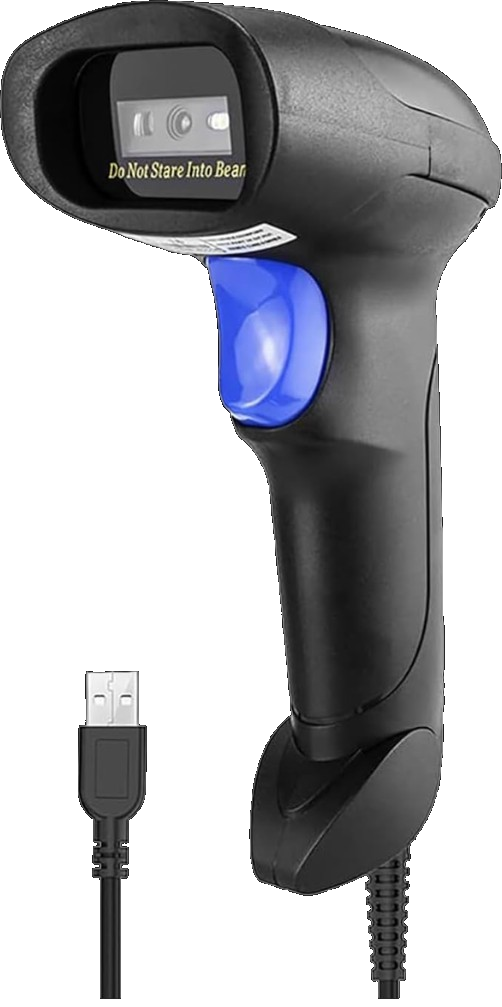
ID Attendance Scanner requires a USB barcode scanner. You do not need anything expensive.
Required hardware
You need a USB barcode scanner that works like a keyboard. No camera. No special scanner software. Plug it in and scan.
See the scanner John uses (opens in new tab)NetumScan USB 1D Barcode Scanner, Handheld Wired CCD Barcode Reader. As an Amazon Associate, John earns from qualifying purchases.
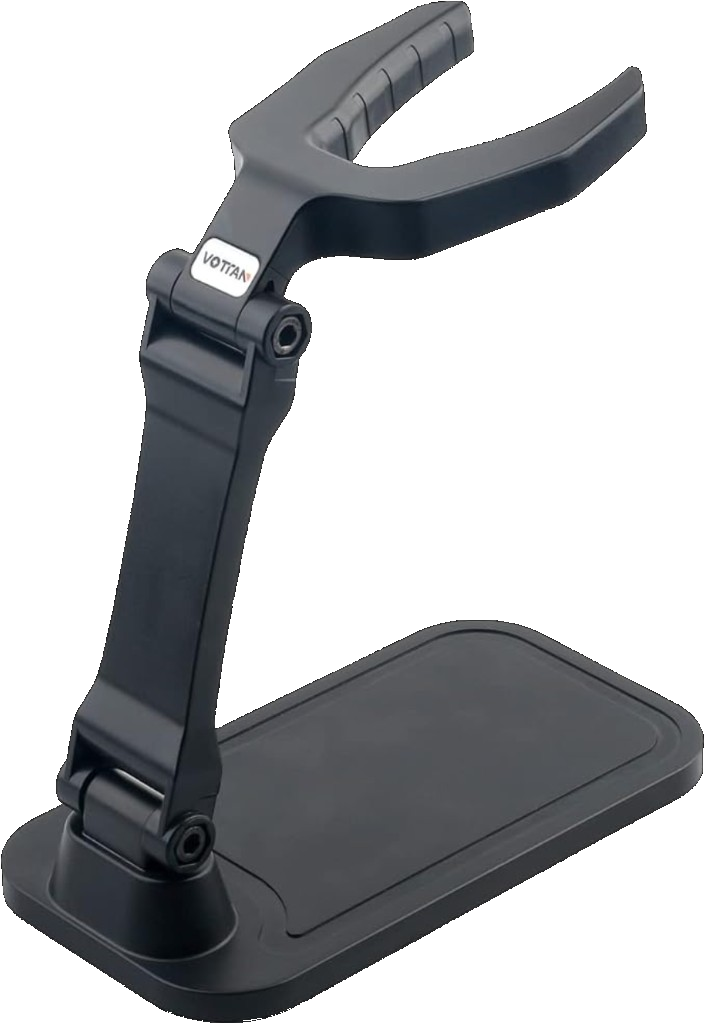
Recommended accessory
Place the scanner near your desk or classroom entrance. Students walk in, scan, and go to their seat.
Get the scanner stand (opens in new tab)Universal Barcode Scanner Stand
This part matters. We do not upload, capture, store, or acquire student names, IDs, rosters, or attendance marks on our servers.
No monthly subscription. No per student fee. No charge every time somebody scans. Just one license for the year.
Teacher license
About 8 cents per school day.
School license
Buying for 25 or more computers? The more licenses your school purchases, the lower the price per computer.
25 teachers for only $250 for the entire school year.
Enter how many computers you need and your price updates automatically.
District license
Add each school and tell us how many computers need ID Attendance Scanner. Your district price is based on the total number of computers across all schools.
500 computers, $2,500 for the entire school year.
As low as $5 per computer for large district purchases.
Add schools and watch the district total update automatically.
Or students scan while you start class — for $20$15 a year, one less thing every day.
Students scan.You press Save.Get your time back.
Get ID Attendance Scanner$20$15/year · one computer · Chrome · USB barcode scanner